How to Build a Robot for Smart Home Integration
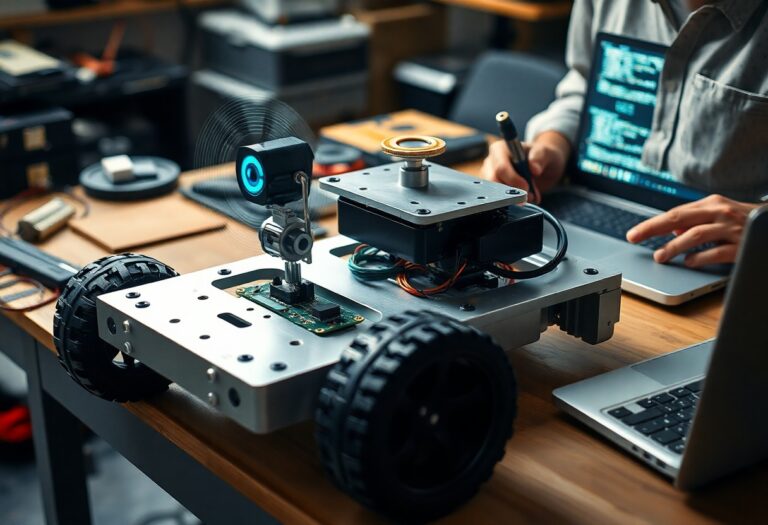
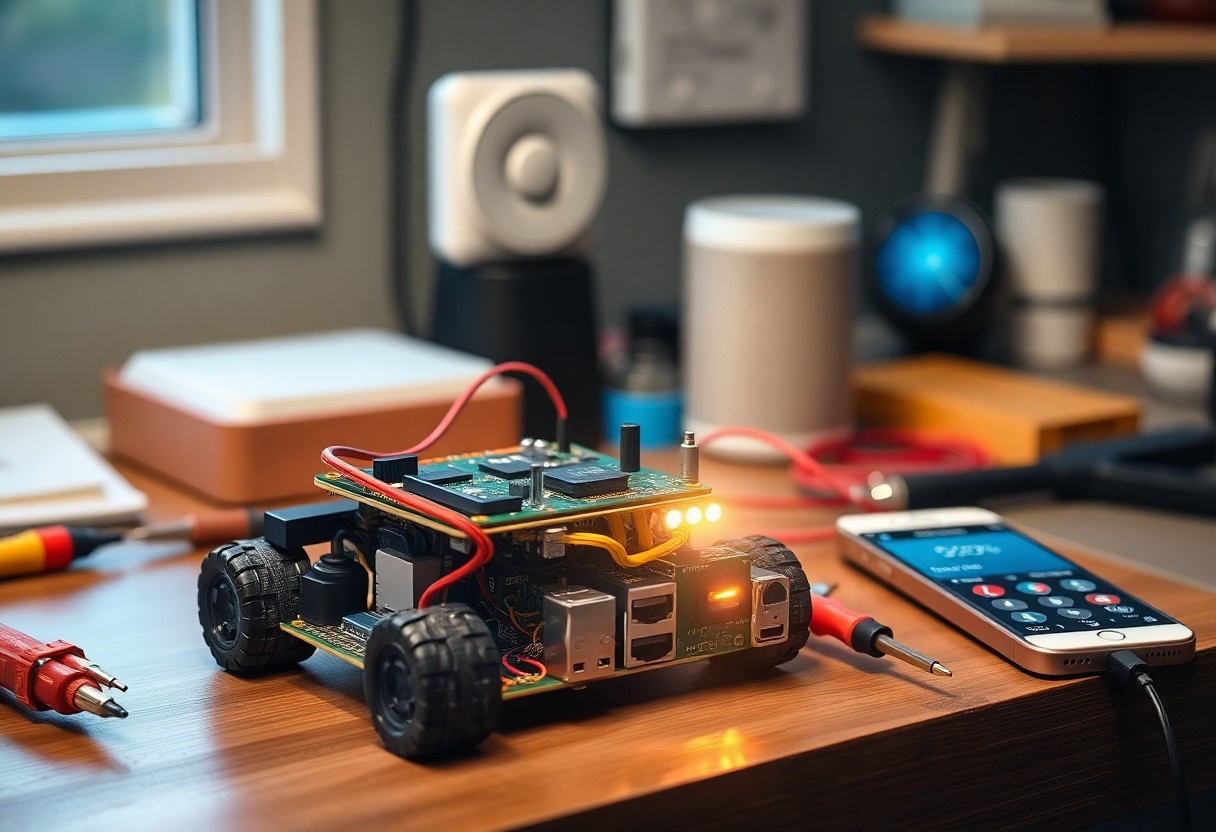
Integration of robotics into your home starts with understanding how devices communicate. You choose components that support common protocols like Wi-Fi or Zigbee. You design the robot’s function around tasks such as monitoring or object transport. You program it to respond to voice commands or sensor input. You test connectivity with existing smart systems to ensure reliable performance.
Determining Core Functionality and Requirements
Start by defining what your robot must do to fit within your smart home ecosystem. Think about whether it should respond to voice commands, monitor environmental conditions, or assist with routine chores. Your robot’s purpose shapes its sensors, processing power, and connectivity options. Perceiving the full scope early ensures smarter design choices down the line.
Identifying Key Tasks for Home Automation
You need to decide which daily activities your robot will handle. Will it track air quality, turn off lights, or patrol for security? List repetitive actions that consume time or attention. Perceiving these tasks clearly helps prioritize features that deliver real convenience.
Analyzing Critical Success Factors for Performance
Performance depends on more than just hardware-it’s about consistency, responsiveness, and reliability in real-world conditions. You’ll want your robot to operate efficiently across varying environments and user demands.
- Fast response times to voice or sensor triggers
- Low power consumption for continuous operation
- Accurate sensor data interpretation
- Stable integration with existing smart platforms
Perceiving subtle differences in performance under stress reveals which components truly matter.
Selecting Hardware for Smart Integration
Choosing the right components ensures your robot interacts smoothly with smart home systems. Start with a capable microcontroller or single-board computer that supports Wi-Fi and common communication protocols. For a detailed walkthrough on assembling your robot from scratch, check out this How to Build a Robot at Home: A Step-by-Step Guide to understand how each part fits into the bigger picture.
Choosing the Right Microcontroller or Single-Board Computer
You’ll need processing power that balances performance and energy efficiency. An ESP32 or Raspberry Pi 4 offers built-in wireless connectivity and ample GPIO pins for peripherals. Your choice depends on whether you prioritize real-time control or running higher-level AI tasks through Linux-based environments.
Essential Sensors and Actuators for Environmental Awareness
Sensors like ultrasonic distance detectors, PIR motion sensors, and temperature-humidity modules help your robot perceive its surroundings. Pair them with servo motors or DC motor drivers to enable movement and interaction. These components form the foundation of responsive, context-aware behavior in home environments.
Environmental awareness starts with reliable input and precise output. A DHT22 sensor gives accurate room climate data, while ultrasonic sensors prevent collisions during navigation. Infrared emitters and receivers detect obstacles in low light, and motor controllers translate decisions into physical action, letting your robot adapt in real time to changing conditions around your home.
How to Establish Wireless Communication Protocols
Selecting the right wireless protocol ensures your robot interacts smoothly with smart home devices. You’ll need to evaluate range, power consumption, and compatibility with existing systems. Most home robots benefit from using a combination of Wi-Fi for internet access, Bluetooth for short-range control, and Zigbee for low-power sensor networks.
Integrating Wi-Fi, Bluetooth, and Zigbee Modules
You can embed separate modules or use a multi-protocol system-on-chip to support Wi-Fi, Bluetooth, and Zigbee. Wi-Fi connects your robot to your home network and cloud services. Bluetooth allows direct smartphone pairing, while Zigbee links it efficiently to smart lights, locks, and sensors without overloading your router.
Connecting to Centralized Smart Home Hubs
Your robot gains broader control when linked to hubs like Samsung SmartThings or Hubitat. These platforms unify device communication and support automation rules. You’ll configure your robot as a compatible device, often using standardized protocols like MQTT or vendor-specific APIs, enabling it to respond to routines and voice commands.
Linking your robot to a centralized hub expands its role beyond standalone tasks. You’ll program it to trigger actions based on sensor inputs or schedule changes-like starting a vacuum when the house is empty. Hubs also handle device discovery and firmware updates, reducing the need for manual configuration and keeping your robot in sync with the rest of your smart ecosystem.
Developing the AI and Navigation Logic
Smart home robots rely on intelligent decision-making to operate effectively. You’ll need to design logic that processes sensor inputs, interprets user commands, and determines movement paths. Integrating machine learning models allows your robot to adapt over time. Pair this with real-time response systems so actions remain accurate and context-aware.
Implementing SLAM for Efficient Room Mapping
Simultaneous Localization and Mapping (SLAM) enables your robot to build a map while tracking its position within it. Use LiDAR or depth cameras combined with odometry data for precision. Optimize algorithms like GMapping or Cartographer to reduce computational load. This ensures fast, reliable navigation in dynamic home environments.
Tips for Voice Command and Natural Language Processing
Choose a lightweight NLP engine that runs efficiently on embedded hardware. Train your model on common household phrases and account for background noise. Support wake-word detection to minimize false triggers. This improves responsiveness and makes interactions feel natural.
- Use pre-trained models like Mozilla DeepSpeech or Picovoice for faster deployment
- Limit command vocabulary to reduce processing time and errors
- Implement context awareness so the robot understands follow-up requests
- Test voice recognition across different speakers and room acoustics
Building effective voice interaction means focusing on clarity and speed. Your robot should parse intent quickly, even with incomplete sentences. Background noise filtering and speaker adaptation increase reliability. Support for multiple languages or accents broadens usability. This creates a smoother, more intuitive user experience over time.
- Process commands locally when possible to reduce latency
- Add feedback tones or visual cues to confirm command receipt
- Allow users to customize command phrases for personal preference
- Log anonymized voice samples to improve model accuracy iteratively
Power Management and Safety Considerations
Efficient power use ensures your robot operates reliably without frequent recharging. You must balance performance with energy consumption while incorporating fail-safes to protect both the device and household members. Design choices directly affect runtime, responsiveness, and long-term dependability in daily use.
Selecting Efficient Battery Systems for Longevity
Battery choice shapes how often your robot needs recharging and how well it performs over time. You should prioritize lithium-ion or LiFePO4 cells for their energy density and cycle life. These systems offer stable voltage and handle repeated charging without significant degradation. Recognizing the load demands of sensors and motors helps match the right battery capacity.
Critical Factors for Obstacle Avoidance and User Safety
Sensors determine how safely your robot moves through living spaces. You need to integrate multiple detection methods to prevent collisions and protect pets and children. Recognizing common household hazards ensures your robot responds appropriately in dynamic environments.
- Use ultrasonic sensors for close-range object detection
- Incorporate infrared or LiDAR for mapping room layouts
- Implement emergency stop triggers when unexpected obstacles appear
- Ensure software updates include improved pathing logic
Your robot must interpret real-time data to avoid accidents. Physical bumpers, drop sensors, and speed modulation play key roles in preventing damage or injury. Recognizing that homes change daily-furniture shifts, toys appear-means your system must adapt instantly and reliably.
- Test navigation in low-light conditions
- Validate sensor accuracy on different floor types
- Program reduced speed near stairs or glass doors
- Include audible alerts before sudden movements
How to Maintain and Upgrade Your Smart Robot
Regular maintenance keeps your robot functioning efficiently and extends its lifespan. Clean sensors and moving parts weekly, check for wear on wheels or brushes, and ensure power connections remain secure. A well-maintained robot performs reliably and adapts better to evolving smart home demands.
Managing Firmware Updates and Security Patches
Updating firmware ensures your robot benefits from performance improvements and critical security fixes. Enable automatic updates if available, or check the manufacturer’s app monthly. Outdated software can expose your home network to risks and limit compatibility with new smart devices.
Expanding Capabilities via Modular Add-ons
Modular add-ons let you customize your robot for specific tasks like mopping, air quality sensing, or object delivery. These plug-in components attach easily and integrate with existing controls. You can adapt your robot’s function as your household needs change.
Adding new modules transforms your robot from a single-purpose device into a versatile home assistant. Manufacturers often design expansion ports or magnetic interfaces for quick upgrades. Whether you need UV sterilization, enhanced cameras, or voice relay features, modular systems let you build functionality without replacing the entire unit. Always verify compatibility before purchasing add-ons.
Final Words
Summing up, you now have the clear steps to build a robot that integrates smoothly into your smart home. Choose compatible components, focus on responsive sensors, and program with real-world use in mind. Your robot should act reliably, respond to commands accurately, and enhance daily living without complexity.